no66 App – Betting on Mobile
Take the full no66 experience with you: 5,400+ games, deposits and withdrawals via MoMo and ZaloPay, and Vietnamese support around the clock. Download the APK to your Android in minutes — iOS users can play instantly via Safari.
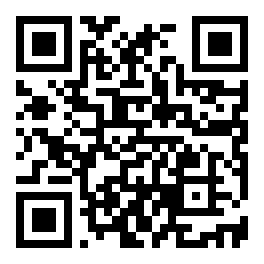
Scan the QR code with your phone camera to download the no66.apk file directly to your Android device. Free, no app store needed.

What You Can Do with the App
5,400+ Games
The full game library is right here in the App — slots, card games, Tai Xiu, Xoc Dia and more. Evolution, Spribe, CQ9, JDB, and FA Chai are all built in, so there's no need to switch platforms. Download once, play everything.
Live Casino Anywhere
HD video streams from Evolution and Ezugi studios run 24/7 straight on your phone screen. Vietnamese-speaking dealers, Baccarat and American Roulette tables always open. A 4G connection is all you need for smooth, lag-free play.
Deposits & Withdrawals in Under 25 Minutes
Deposits via MoMo, ZaloPay, or VNPay are processed within 1 minute. Bank withdrawal requests complete in under 25 minutes. The entire transaction flow is built into the App — no extra tabs needed.
Instant Promotion Notifications
The app sends push notifications the moment a new promotion goes live: daily cashback, Monday reload bonus, and the no66 Referral Bonus worth 200,000 ₫. Enable notifications once and never miss a deal from no66.
Live Chat Support Right Inside the App
The live chat button is built right into the app menu, connecting you to a Vietnamese-speaking support team available around the clock. You can attach screenshots directly in the chat for faster issue resolution — quicker than reaching out through the website.
Bet History & Personal Stats
View your full transaction and betting history for the past 90 days. Filter by date, game, or win/loss amount to keep your budget in check. This feature is exclusive to the app — it's not available on the web version.
What Devices Can Run the App?
| Specification | Details |
|---|---|
| Current Version | 3.3.13 |
| File Size | 52 MB |
| Minimum Android | Android 6.0 (Marshmallow) or higher |
| iOS | Runs via Safari — no installation needed |
| Last Updated | 21/11/2026 |
| Cost | Free |
| Language | Vietnamese · English |
| Release Platform | Direct download from no66.ws (APK) |
Recommended Storage
The app takes up 52 MB of storage after installation. We recommend keeping at least 150 MB of free space on your device so the app runs smoothly and can cache game images properly.
Network Requirements
Slots and card games: a stable 4G or Wi-Fi connection is enough. Live casino (HD video): Wi-Fi or strong 4G is recommended. Offline play is not supported.
Tested Devices
Samsung Galaxy A, Xiaomi Redmi, OPPO Reno, Vivo Y-series, and other popular mid-range phones used across Vietnam. Screens 5 inches and above display the best experience.
Download the no66 APK to Your Phone Now
no66 for Android
Tap the button on the right to download directly. Your browser may ask for confirmation — select Download anyway to continue.
Official APK file from no66.ws.
Not via Google Play or any third party.
Installing the APK on Android – 5 Steps
-
1
Allow Installation from Unknown Sources
Go to Settings → Security → Install unknown apps and enable the option for the browser you're using (Chrome or Samsung Internet). You only need to do this once; you can turn it off again after installation to keep your device secure.
-
2
Download the no66.apk File
Tap the Download no66.apk button at the top of this page. The 52 MB file will save to your device's Downloads folder. On a normal 4G connection, it takes about 15–30 seconds. No login required to download.
-
3
Open the File and Confirm Installation
Open your File Manager app, or pull down the notification bar and tap the no66.apk file you just downloaded. The system will ask "Do you want to install this app?" — tap Install. Review the permissions screen and accept.
-
4
Wait for Installation to Complete
Installation takes 10–20 seconds. A progress bar will appear until you see the "App installed" notification. The no66 icon will show up on your home screen. No restart needed.
-
5
Log In or Create a New Account
Tap the no66 icon, then select Log In if you already have an account, or Register to create a new one. Your account is shared with the web version — your balance and transaction history sync instantly.
Quick Installation Tips
- Use Wi-Fi when downloading to avoid using up your mobile data.
- Never download the APK from any source other than no66.ws — third-party files carry serious security risks.
- If your browser blocks the download, tap Keep or Download Anyway.
- Once installed, you can turn off the permission to install from unknown sources.
- The app updates itself automatically via push notifications whenever a new version is available.
iOS Users: Add to Home Screen
no66 doesn't have a separate IPA file due to App Store policy. Instead, use Safari to add no66.ws to your home screen as a Progressive Web App (PWA) – same interface and speed as a native app.
-
Step 1 – Open Safari
On your iPhone or iPad, open Safari (don't use Chrome or Firefox for this step). Go to no66.ws and wait for the page to fully load.
-
Step 2 – Tap the Share Icon
Tap the Share icon (a box with an arrow pointing up) in the Safari toolbar at the bottom of the screen. A menu will slide up.
-
Step 3 – Select "Add to Home Screen"
Scroll down the list and tap "Add to Home Screen". Name it "no66" then tap Add in the top right corner.
-
Step 4 – Log In and Play
The no66 icon will appear on your home screen. Tap it to open in full-screen mode with no URL bar. Use your existing no66 account to log in right away.
Notes for iOS
- iOS 14 or later is required for the PWA to run smoothly.
- Do not use Private Browsing mode when adding to your home screen.
- If you don't see the "Add to Home Screen" button, update Safari to the latest version.
- Your login details are saved automatically for next time.
Entertainment Inside the no66 App
Enter the Casino Lobby Slots
CQ9 · Spribe · JDB
RTP up to 97.8%
 Live Casino
Evolution · Ezugi
Baccarat · Roulette
Crash / Aviator
Spribe · KA GamingBet anytime you like
The App also features card games like Xi To and Phom (Spribe, Evolution), Tai Xiu, Xoc Dia, and fish shooting games with bets starting from 1,000 ₫. All games share a single account balance — no need to transfer funds between game lobbies.
App vs. Web Browser: Which One Should You Use?
| Feature | no66 App (APK) | Web Browser |
|---|---|---|
| Full game library (5,400+) | Fully available | Fully available |
| Deposit & withdrawal via MoMo / ZaloPay / VNPay | Built into the App | Via browser |
| Interface loading speed | Faster (local cache) | Depends on network each time |
| Promotional push notifications | Yes (push notification) | No |
| 90-day betting history + filters | Available | 30 days only |
| Fullscreen mode | On by default | Must be enabled manually |
| Save login credentials | Automatic | Depends on browser |
| Installation required | Download APK 52 MB (one time) | Not required |
| iOS support | PWA via Safari | All browsers |
| Version updates | Via push notification | Auto on every launch |
Bottom line: if you play regularly on your phone, the App gives you a smoother and more convenient experience. Use the web when you need quick access from a computer or a device that doesn't have the App installed.
APK Security – App Permissions Explained
Only Download From no66.ws
The official APK is distributed exclusively through no66.ws. Any APK file from other sources — Telegram, forums, or unknown links — is not verified by no66 and may contain malware. Always check the URL before downloading.
Full SSL Encryption on All Connections
All data transmitted through the App is encrypted with TLS 1.3. Your account details, transaction PIN, and e-wallet data are never sent as plain text. The App does not store your password on the device.
Minimal App Permissions
no66 App only requests: Internet access (server connection), external storage (to save APK updates), and notifications (push notification). The App does not request access to your camera, microphone, contacts, or GPS location.
APK Signature Verification
The no66.apk file carries a consistent digital signature across every release. If you try to install a modified APK over the existing one, Android will display a "Signature mismatch" error and block the installation. This is an automatic layer of protection built into the operating system.
Installation Issues? Check the Quick Troubleshooting Guide
| Error encountered | Common cause | How to fix |
|---|---|---|
| "App blocked" | Install from unknown sources has not been enabled for the browser you're using. | Go to Settings → Apps → Browser → Additional settings → Allow from this source, turn it ON, then try again. |
| "Parse error" | The downloaded APK file is corrupted or the download didn't complete. This usually happens on a weak or interrupted connection. | Delete the old file from your Downloads folder, connect to a stable Wi-Fi network, then re-download from the download section on this page. |
| App installed but won't open | Android version is below 6.0, or there's a conflict with an old version that wasn't fully removed. | Check Settings → About phone → Android version. If it's below 6.0, use the web browser instead. If the version is compatible, uninstall the old version first, then reinstall. |
| Download complete but browser shows "not safe" warning | Google Chrome automatically warns about all APK files not downloaded through the Play Store — this is its default policy. | Tap "Download anyway" or "Keep". This is a standard Android warning that appears for all APK files – it does not mean the file is infected. |
| Logged in successfully but games won't load | The app cache may be corrupted, or your connection isn't stable enough to load game content. | Go to Settings → Apps → no66 → Storage → Clear Cache. Switch to Wi-Fi and reopen the App. If the problem continues, contact Live Chat inside the App. |
Download the no66 App – Android & iOS in One Place
- App Version
- 3.3.13
- File Size
- 52 MB
- Android
- 6.0+
- Price
- Free
-
Full game library on your phone
5,400+ games — slots, Tai Xiu, Xoc Dia, live Baccarat and fishing — all accessible from the same app. No switching tabs or platforms.
-
Deposits confirmed in 1 minute
MoMo, ZaloPay and VNPay are built into the transaction flow. Deposit instantly; withdrawals processed in under 25 minutes.
-
HD live casino streams over 4G
Evolution and Ezugi studios stream 24/7 with Vietnamese-speaking dealers. A stable 4G connection is all you need.
-
Push alerts for every promotion
Enable notifications once and the app tells you the moment daily cashback, the Monday reload, or the 200,000 ₫ Referral Bonus goes live.
Scan with your phone camera to download the APK directly.
Free — no app store required.
Common Questions About no66 App
01 Is the no66 APK really safe to install?
The no66.apk file is released directly from no66.ws and carries a consistent digital signature across every version. The App only requests Internet and storage permissions – it does not access your camera or contacts. All connections are encrypted with TLS 1.3. Security risks only arise if you download the APK from somewhere other than no66.ws, so always download from this page.
02 Do I need to create a new account after installing the App?
No, if you already have a no66 account there's no need to register again. Just enter your existing username and password. Your balance, betting history, and promotions all sync automatically between the App and the website. If you don't have an account yet, tap Register on the App's first screen.
03 Installation failed with an "unknown sources" error – what should I do?
This is Android's default security setting, not an App error. Go to Settings → Security (or Apps → Your Browser → Install Unknown Apps) and enable "Allow from this source". Once the installation is done, you can turn this option back off to keep your phone secure.
04 How do I update the App to the latest version?
no66 App sends a push notification whenever an update is available. Tapping the notification takes you directly to the new APK download page. You can also check manually via Menu → About → Check for Updates inside the App. Always use the latest version (currently 3.3.13) for the best performance and full security patches.
05 I'm on iPhone and can't install an APK – is there another option?
iOS does not support APK files. Instead, open no66.ws in Safari and tap Share → Add to Home Screen. This PWA version runs full-screen, supports all games and payment methods, and delivers an experience on par with the native App. Requires iOS 14 or later and Safari – Chrome on iPhone is not supported.
06 How much battery and mobile data does the App use?
About 30 minutes of slots and card games uses roughly 25–40 MB of data. Live casino (HD video) uses more – around 150–200 MB per hour. Battery drain is similar to watching YouTube. Turn on Data Saver mode in the App if you're on a limited 4G plan.
07 Can I use the App and the website at the same time on two devices?
Yes, your no66 account supports simultaneous logins on multiple devices. Balance and transactions sync in real time. However, you cannot open the same betting round from two separate sessions at once. If you run into any login issues, contact Live Chat for support in Vietnamese.
Need More Help?
The no66 support team is online 24/7 in Vietnamese. Describe your issue and attach a screenshot if you have one – most cases are resolved within minutes.
Open Live Chat No account yet?Related pages
- 18+
- SSL Secured
- 24/7 Support
- Android 6.0+
- MoMo · ZaloPay · VNPay
- Responsible Gaming
- App Version
- 3.3.13
- File Size
- 52 MB
- Games
- 5.400+
- Withdrawal
- 25 minutes